
Feature
Inspect and mock every request, no SDK
A built-in MITM proxy for any app on the iOS Simulator without SDKs, framework dependencies, or code changes.
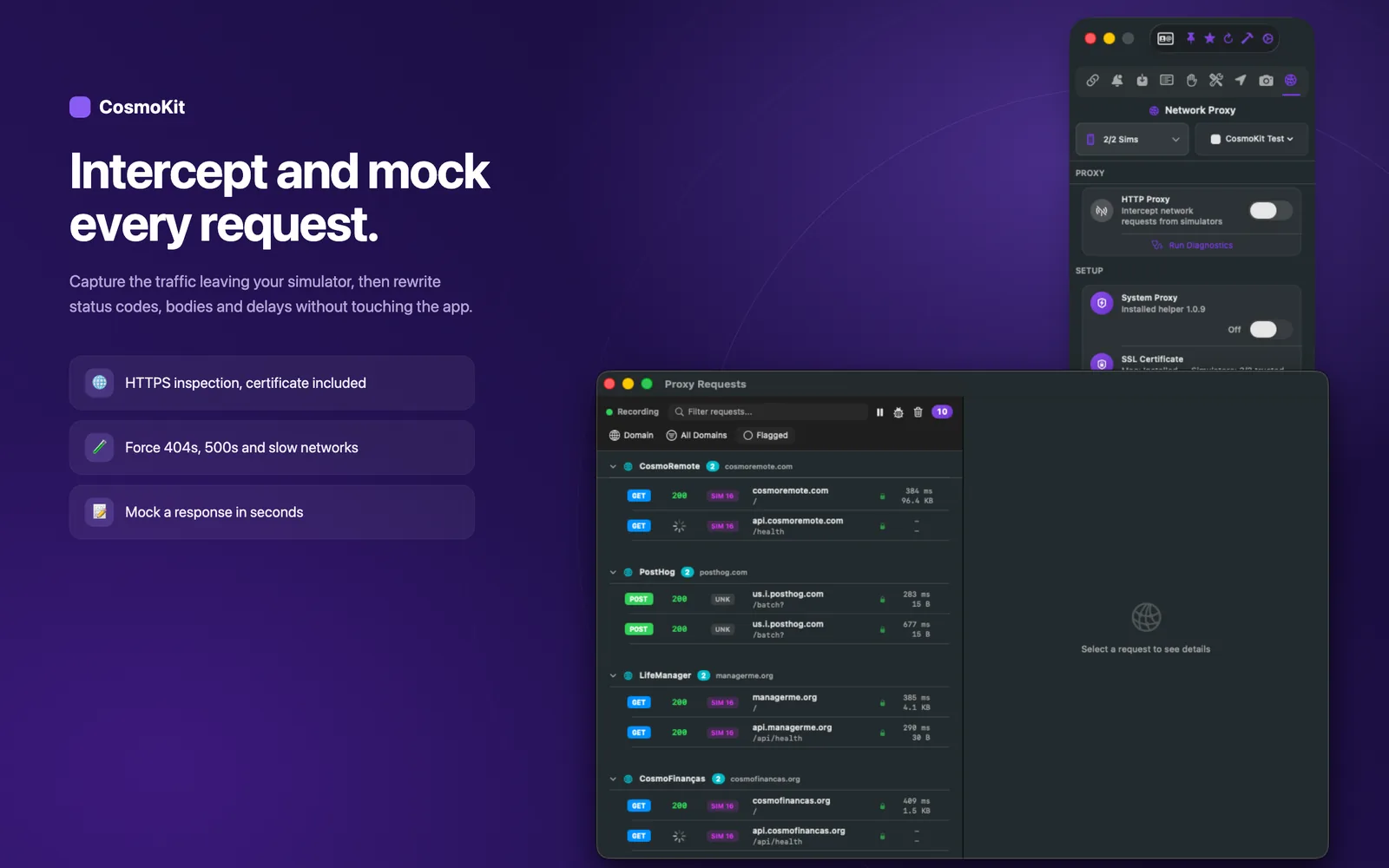
See every request as it happens
Built-in MITM proxy with one-click simulator setup
Route simulator traffic through CosmoKit's built-in proxy to inspect HTTPS requests and responses in real time. Inspect headers, query parameters, payloads, and response times without installing separate proxy tools or manually configuring certificates.
- Inspect live HTTPS requests and responses
- View headers, query parameters, and JSON payloads
- Track request latency and timing
- One-click simulator CA certificate and proxy setup
Mock the response
URL pattern matching and custom status codes
Intercept outgoing requests and return custom mock responses to test edge cases before backend endpoints are ready. Define rules by URL pattern and HTTP method to override status codes, headers, and response bodies on demand.
- Match requests by URL glob pattern and HTTP method
- Override status codes, custom headers, and response JSON
- Organize mock rules into toggleable folders
- Simulate backend errors and edge cases without deploying code
Throttle and go offline
Network condition presets and injected failure rates
Shape simulator traffic with built-in network condition presets or custom latency and bandwidth limits. Test how your application handles flaky connections, timeouts, packet drops, or complete offline states without leaving your desk.
- Presets for Edge, 3G, LTE, Very Bad Network, and Offline
- Custom latency (ms) and bandwidth throttling (download/upload kbps)
- Injected failure rates with connection drop, timeout, or 503 errors
- Validate offline banners, retry loops, and empty states
Works with apps you didn't write
System-level proxying without swizzling or SDKs
CosmoKit operates at the simulator network layer rather than inside your application binary. Because nothing is linked into your app, there is no SDK to bundle, no build phase to configure, and no method swizzling. Any app running in the simulator—including App Store builds, third-party apps, and client binaries—can be inspected immediately.
- Zero SDKs, pods, or SPM packages required
- No code changes, method swizzling, or build configuration
- Inspect third-party apps, system apps, and precompiled builds
- Production builds remain completely untouched
From the CLI and your agent
Check proxy status from scripts, terminal, or MCP
Query inherited proxy configuration from your terminal or pass it to AI coding agents. The proxy engine and TLS stack run inside the macOS app to protect host routing, while the CLI and MCP server expose read-only status commands for diagnostics.
- Run cosmokit proxy-status to inspect inherited host proxy settings
- Use the proxy_status MCP tool from Claude Code, Cursor, and Codex
- Status checks from the CLI; configure rules and start the proxy in the app
- Included in cosmokit doctor diagnostic reports
$ cosmokit proxy-status
HTTP Proxy:  127.0.0.1:9090 (enabled)
HTTPS Proxy: 127.0.0.1:9090 (enabled)
Bypass: *.local, 169.254/16Ready to test faster?
CosmoKit is a native macOS app. Free to start, no signup.