Feature
Capture, record, and generate store screenshots
Pixel-perfect simulator captures, MP4 and animated GIF video recording, and automated App Store screenshot generation.
One-click pixel-perfect screenshots
Lossless captures directly from the menu bar or workspace
Grab clean, uncompressed simulator screenshots instantly without hunting through desktop clutter. Capture with a single click or global hotkey ⌃⌥⌘S, with optional native device bezels and direct clipboard copying.
- Capture high-resolution simulator screenshots in one click
- Global system shortcut ⌃⌥⌘S captures without switching windows
- Optional native device frames and drop shadows
- Recent captures saved to your workspace and ready to share
Smooth video recording and animated GIFs
Export demo recordings for QA, pull requests, and marketing
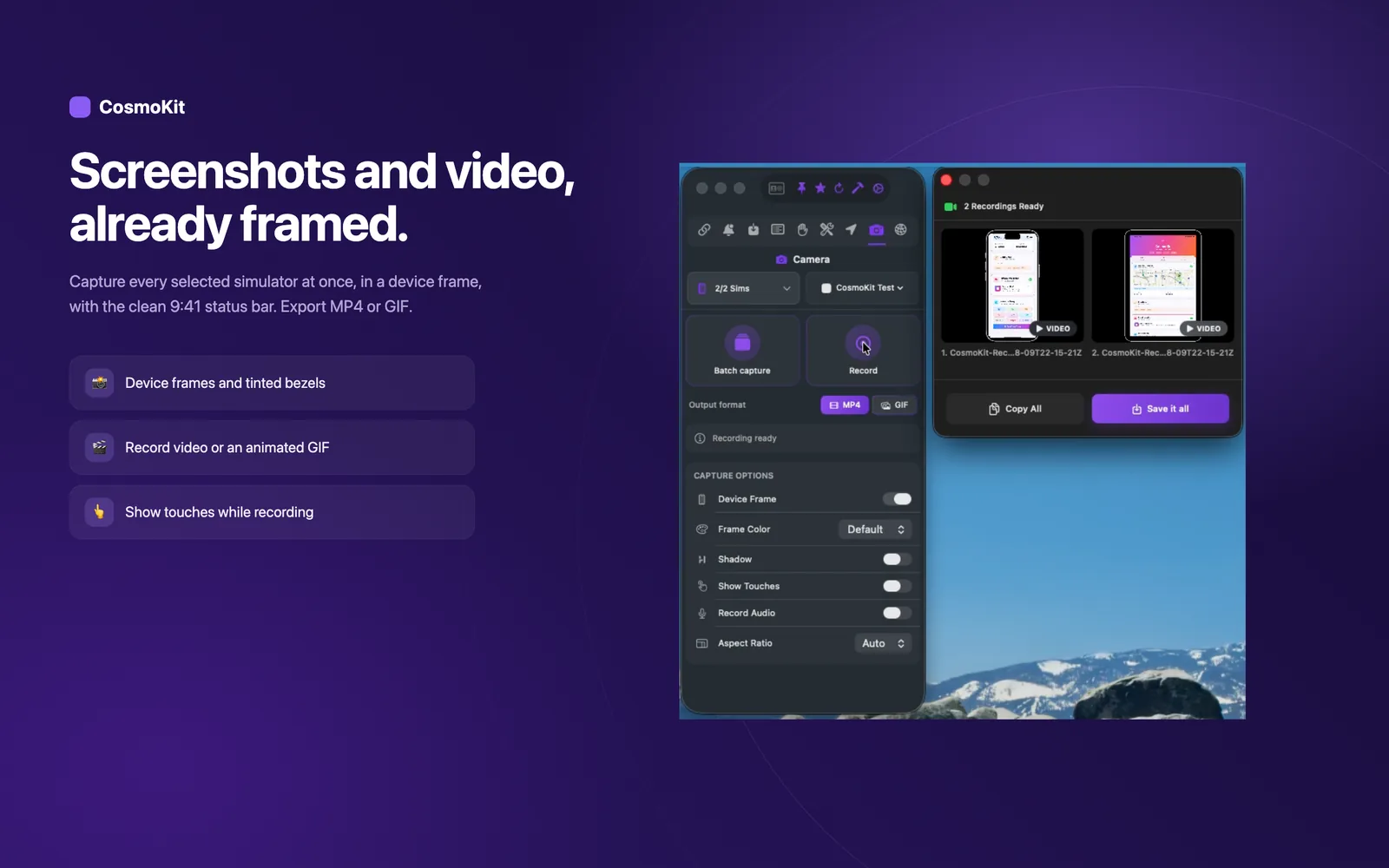
Record smooth simulator walkthroughs without clunky QuickTime menus or command line tools. Export directly to compressed MP4 for bug reports and PR walkthroughs, or lightweight animated GIFs for documentation.
- Record smooth video sessions directly from the control panel
- Export to standard MP4 video or animated GIF formats
- Optional audio recording toggle for spoken walkthroughs
- Ideal for QA bug reproduction, pull request previews, and docs
App Store screenshot generator
Generate store-ready assets without opening Figma
Transform raw simulator captures into framed, localized App Store screenshot sets ready for App Store Connect. Choose from official Apple display size presets, apply gradient backgrounds, and manage localized copy.
- Presets for required iPhone, iPad, and Mac App Store display sizes
- Automated device framing with accurate hardware bezels
- Customizable background colors, gradients, and font typography
- Multi-locale template sets for localized App Store submissions
Automated captures in CI and scripts
Drive visual regression tests from the cosmokit CLI
Incorporate simulator visual capture into your automated build pipelines and git hooks. The free cosmokit CLI provides scriptable capture and recording commands that output directly to target directories.
- Run cosmokit capture to save screenshot artifacts in CI jobs
- Record simulator sessions during integration tests with cosmokit record
- Target specific booted or named simulators with UDID flags
- Zero graphical dependencies required for CLI screenshot tasks
# Capture booted simulator into repository screenshots
$ cosmokit capture --output ./screenshots

# Record 10-second interaction video
$ cosmokit record --output ./artifacts/test-run.mp4Ready to test faster?
CosmoKit is a native macOS app. Free to start, no signup.