
Feature
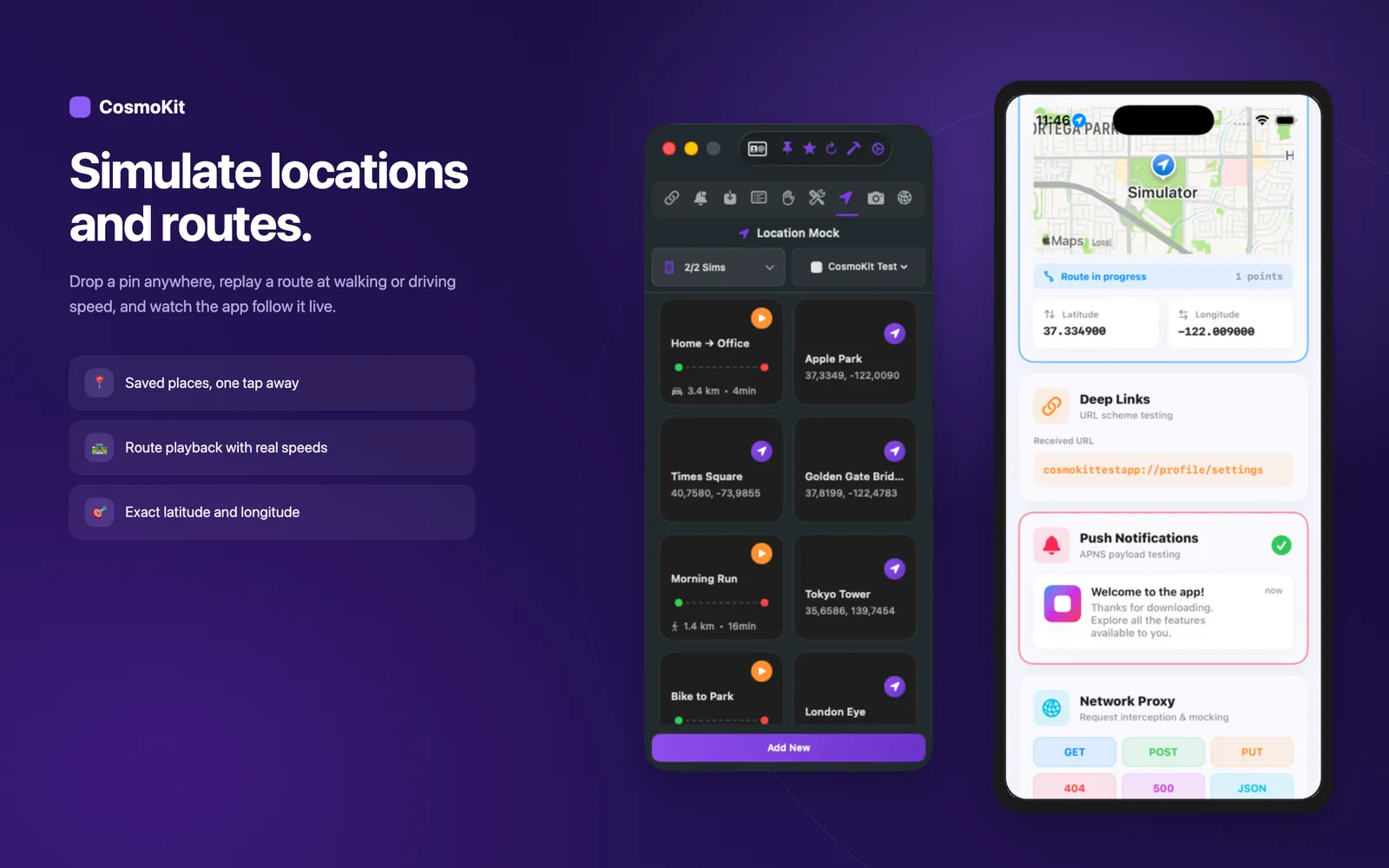
Simulate location, routes, and scenarios
Set GPS coordinates, replay movement routes with walk, bike, or drive speeds, and trigger built-in location scenarios.
Set any GPS coordinate on Earth
Address search and favorite location presets
Teleport any iOS Simulator to any coordinate worldwide in one click. Search addresses, drop custom latitude and longitude coordinates, and save frequently used testing locations for geofencing and localized content checks.
- Set exact latitude and longitude coordinates on any booted simulator
- Search places and addresses with built-in geocoding lookup
- Save favorite location presets per application profile
- Test region-restricted content, geofencing triggers, and maps
Replay dynamic movement routes
Simulate realistic transit with walk, bike, and drive speeds
Simulate smooth movement between coordinates to test fitness tracking, turn-by-turn navigation, and background location updates. Choose between walking, cycling, or driving presets, or configure custom speeds with real-time ETA calculation.
- Simulate GPS movement between start and destination waypoints
- Select presets for Walk, Bicycle, or Automobile speeds
- Configure custom velocity in km/h for high-speed or precision testing
- Real-time distance and estimated time of arrival calculations
Built-in simulator location scenarios
Exercise Apple's standard simulation routines
Run standard location routes built into the iOS Simulator platform without configuring custom waypoint files. Simulate common transit patterns to verify background tracking behavior and battery optimization.
- List and execute built-in simulator location scenarios
- Run City Bicycle Ride, City Run, and Freeway Drive routines
- Continuous route simulation until explicitly paused or cleared
- Verify background location delegates and power-saving modes
Clear and reset location state
Return to neutral simulator state in one click
Stop active route simulations and clear fixed location overrides whenever your test run concludes. CosmoKit cleanly resets simulated location state so subsequent test runs start from a known neutral baseline.
- Stop running location scenarios with a single click
- Clear fixed GPS positions to restore default simulator state
- Eliminate leftover mock coordinates between automated test runs
- Ensure clean, reproducible test baselines for test suites
Scriptable location commands for CLI & AI agents
Automate location testing in CI pipelines and agent loops
Every location tool in CosmoKit is accessible via the free cosmokit CLI and stdio MCP server. AI agents and shell scripts can query scenarios, set coordinates, and run routes programmatically.
- Run cosmokit location <lat> <lon> to position simulators from scripts
- Query built-in scenarios with cosmokit scenarios
- Start dynamic routes with cosmokit route <scenario>
- Stop simulation cleanly with cosmokit location-clear
# Put the simulator in Rio de Janeiro before running tests
$ cosmokit location -22.9068 -43.1729

# Run built-in freeway drive scenario
$ cosmokit route "Freeway Drive"

# Clear location simulation
$ cosmokit location-clearReady to test faster?
CosmoKit is a native macOS app. Free to start, no signup.